
Create training sessions in a Fitimyze program
Sessions are the core of your training programs. Each session groups a set of exercises with their series, giving your athletes a precise plan to follow. Let's see how to create and organize them.
To learn how to create and manage a program before adding sessions, check out our guide on Creating and managing your training programs.
Add a session to a program
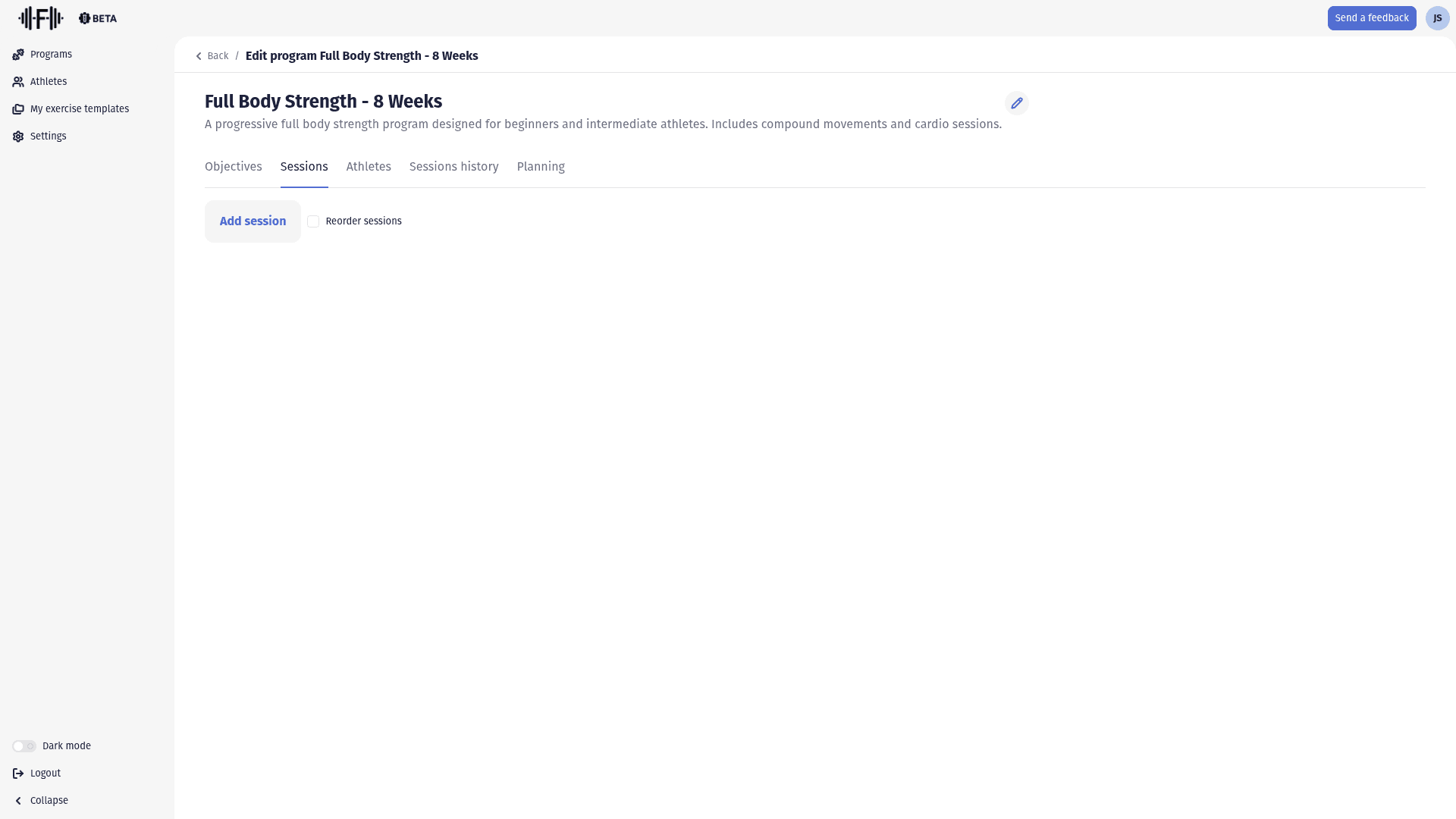
From your program's edit page, go to the "Sessions" tab. Click the "Add session" button to open the creation dialog.
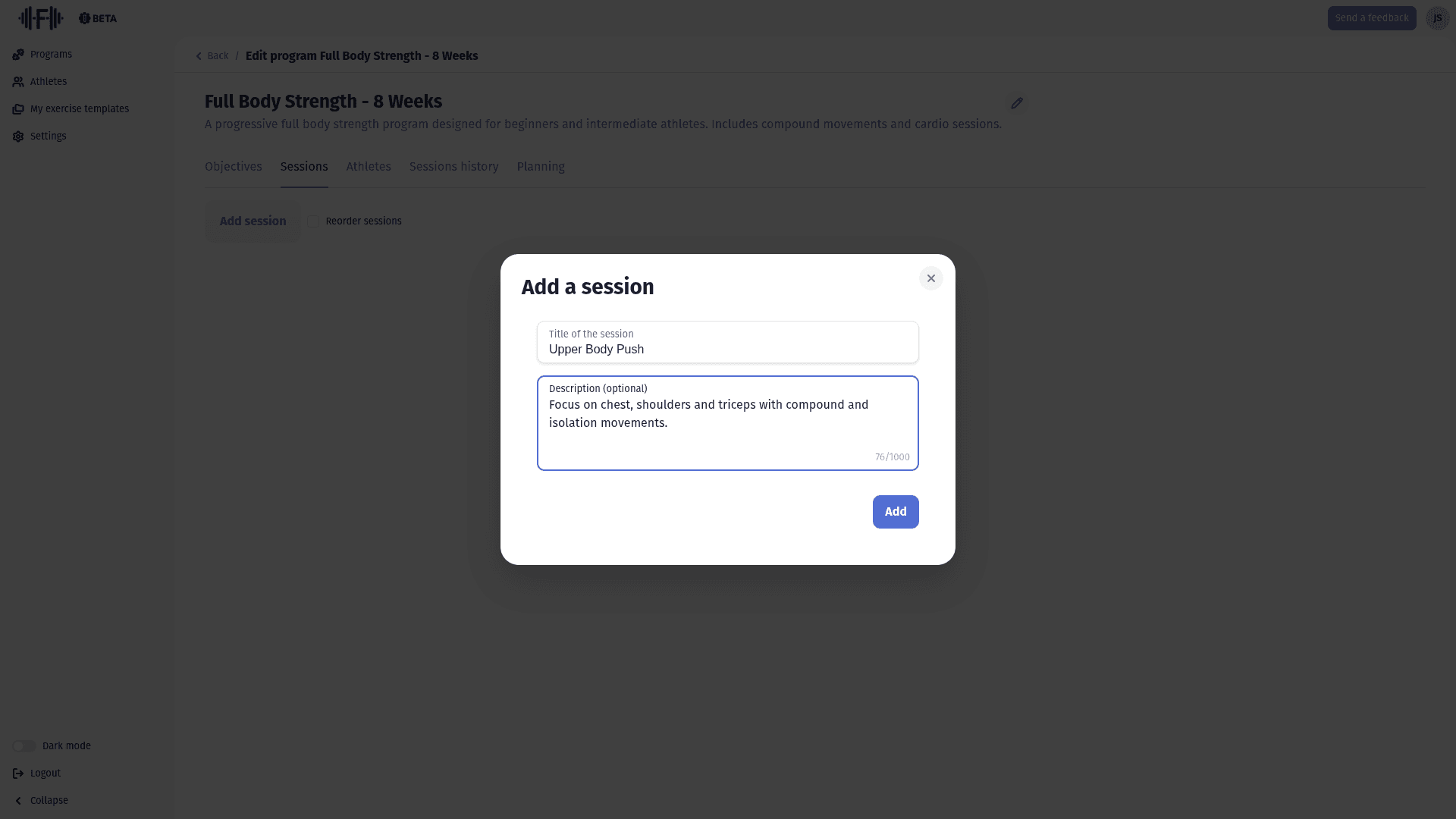
The form asks for:
- Session title: a clear name to identify the session (required)
- Description: additional details about the session's content or goal (up to 1,000 characters)
Click "Add" to create the session.
The session card
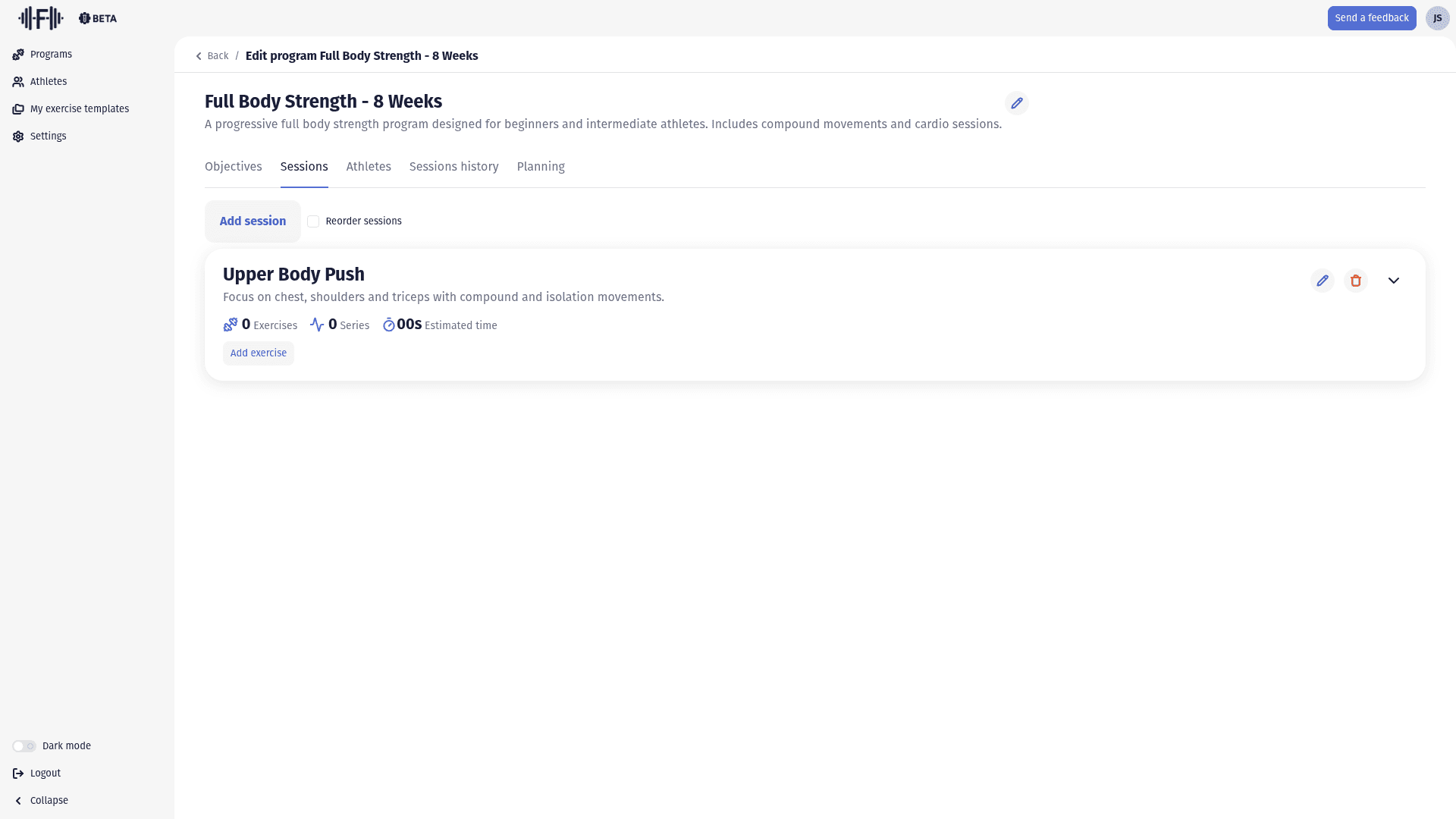
Once created, the session appears as a card in the list. It displays:
- The title and description of the session
- The number of exercises and series
- The estimated time for the session
- An "Add exercise" button to start building the content
- Icons to edit or delete the session
Add an exercise to a session
Click "Add exercise" on the session card. A dialog opens with:
- Label: the name of the exercise (required)
- Description: execution instructions or additional details
- File area: you can add images or videos by clicking "Choose files" or dropping them directly
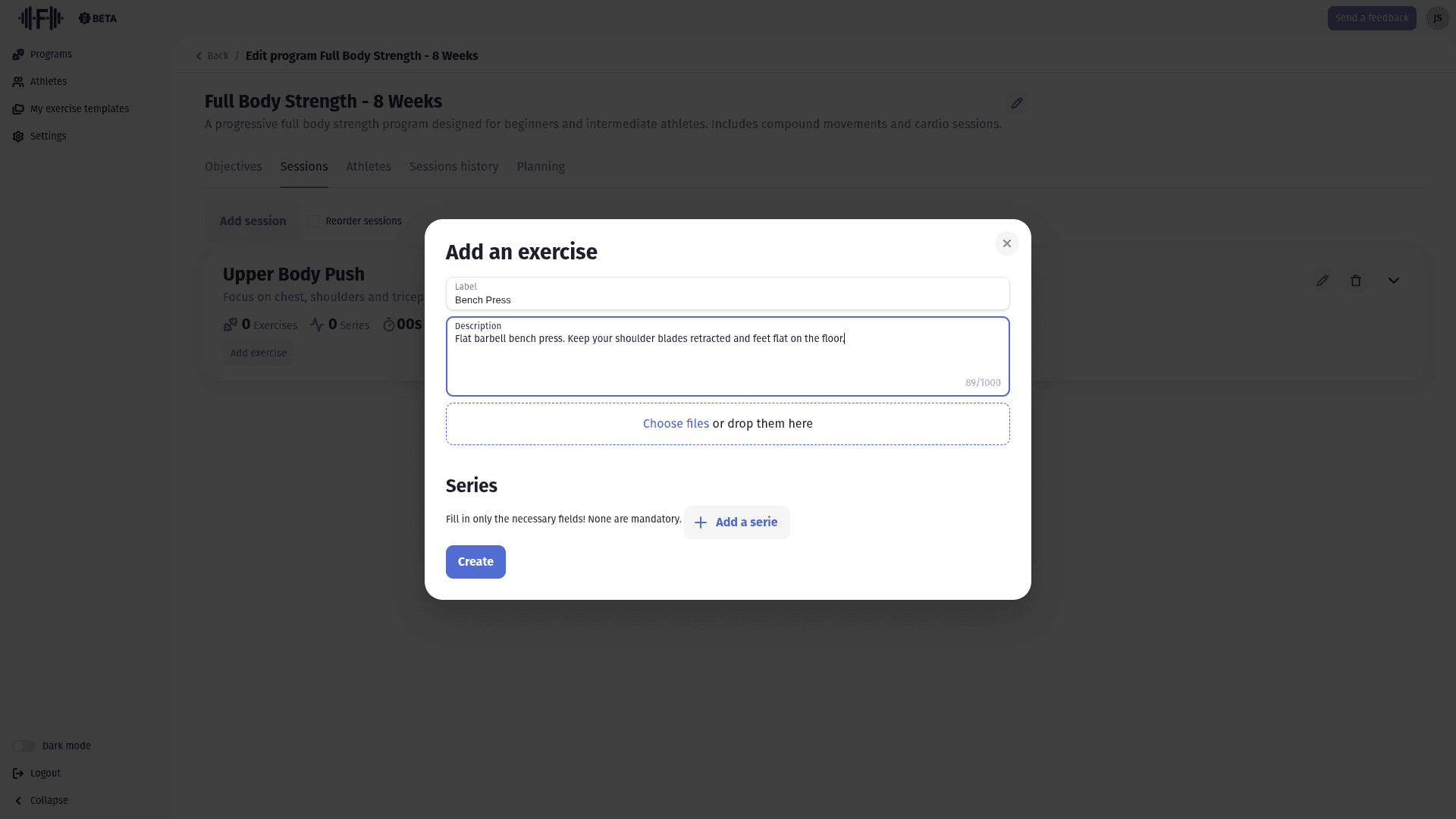
To save time, you can create reusable exercise templates from the "My exercise templates" section in the sidebar. Check out our dedicated guide on exercise templates to learn more.
Configure the series
Below the exercise information, the "Series" section lets you define the work parameters. Click "Add a serie" to add a parameter block.
Each serie offers the following fields (all optional — only fill in what's relevant):
| Field | Description |
|---|---|
| Weight | The load to use, with a unit selector (Kg by default) |
| Rest time | Recovery time between series |
| Set | The number of times the athlete should repeat this block |
| Repetitions | The number of reps per set |
| RPE | Rate of Perceived Exertion — the perceived intensity |
| Distance | The distance to cover, with a unit selector (m by default) |
| Duration | The duration of the effort |
| Description | A specific note or instruction for this serie |
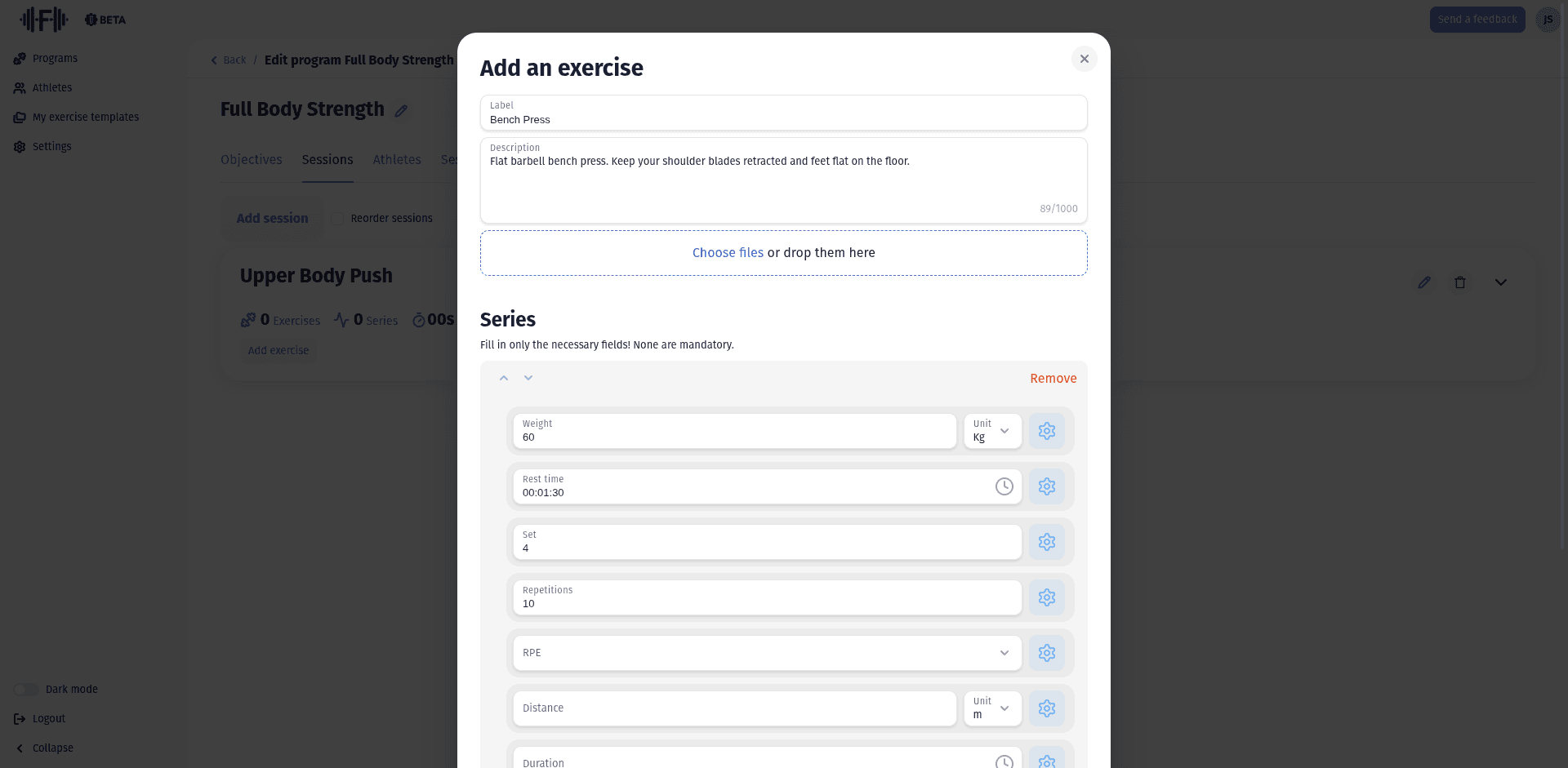
You can add multiple series to a single exercise to vary the parameters (for example, a progressive load increase). Each serie can be reordered with the arrows or removed using the "Remove" button.
Once your series are configured, click "Create" to confirm the exercise.
Organize the session order
When you've added multiple sessions to your program, you can change their order. Toggle the "Reorder sessions" checkbox, then drag and drop the sessions to rearrange them.